At some point, you may need to manually create a column in Canvas to record points for something other than submitted work such as a quiz or an assignment.
To manually create a column in Canvas, you must begin in Assignments, not the Grades.
- Click on Assignments in the Course Navigation menu.
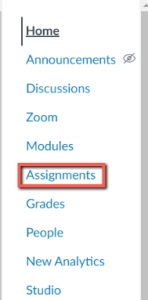
- Click on +Assignment.

- At the next screen, enter a name for the assignment, enter the points and the Assignment Group. Set the Submission Type to No Submission.
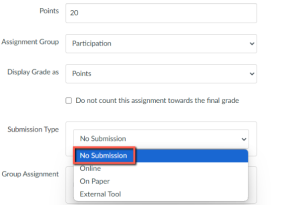
- Click Save and Publish to enable manually entering a grade.
Canvas guides